
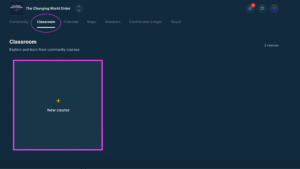
Build structured learning paths using videos, files, and lessons.To build your course click on the Classroom tab and then click on New course button
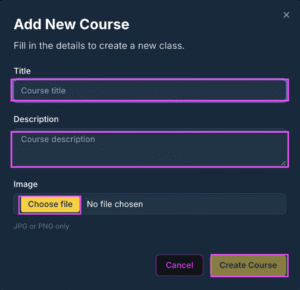
Add the name of the Course, A brief description, an image (jpg, png) and click on the create course button
Click the Add lesson button to add a module to your named course.

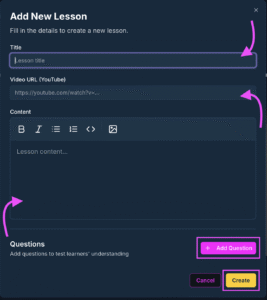
In the Add new lesson box , add the title of your lesson/module, include a url link to a video and include the content resources of your lesson. If you would like to add a Q/A in your lesson/module click the ‘Add Question’ button
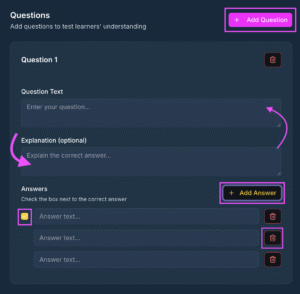
In the Add Question box enter the first question in the “Question text” section. Enter in the Answers in the multiple choice answers section and select the correct answer for the system to show the learner the correct answer. Add add another Question to your lesson just click the Add Question button
 English
  Portuguese
  Spanish